Sprint MiFi / Verizon MiFi: road tested

mifi-review-1

Some of you might be privy to a little bit of confidential BGR info, but for those of you who are not: I went to Chicago recently. In a car. Besides me harboring a hate for the entire of state of Pennsylvania, (because it’s ridiculously long to drive through) the trip was quite successful. One of the main reasons why I didn’t mind being in a car seven times longer than being in a plane was because I was blessed by two MiFi units; a Verizon Wireless unit and a Sprint unit. Plus, what better way to really test out two mostly identical devices on two completely different networks when you’re covering around 1700 miles round trip. I didn’t do a really vigorous string of tests or anything near our much-loved BGR Carrier Wars series. Instead I used one unit exclusively on the way to Chicago from New York City and the other unit on the way back. Here’s what I found…

mifi-review-2

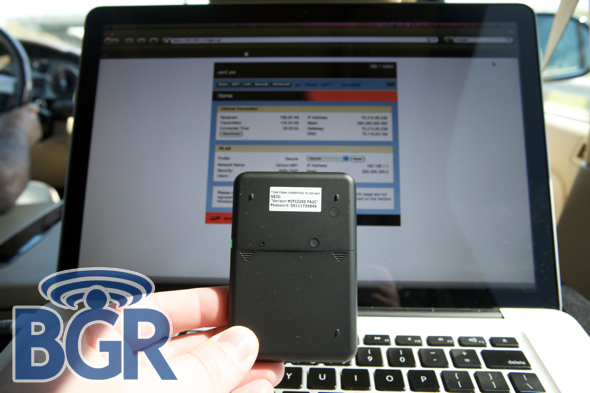
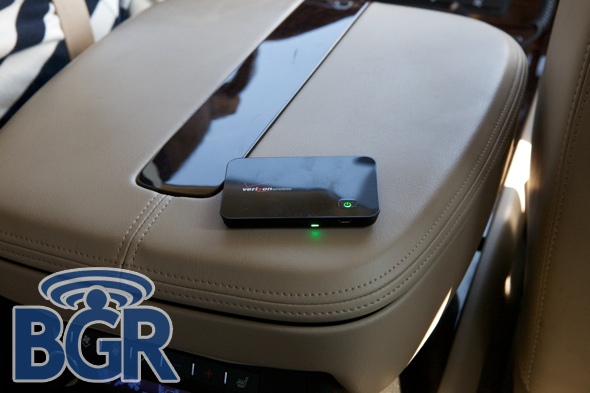
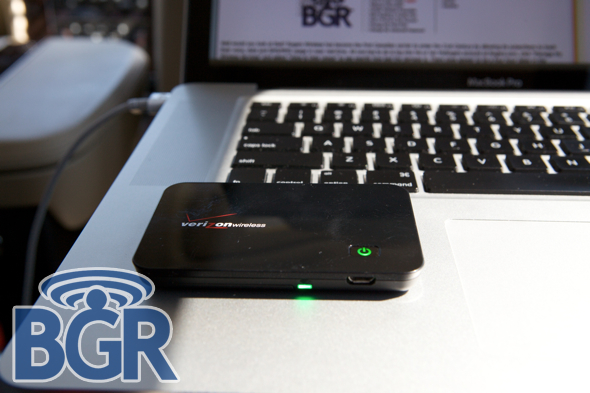
The first MiFi I used was the Verizon Wireless unit. We all know how good Verizon’s reputation in the data department is and I had high hopes for this little bad boy. Before we get into how it fared, let’s look at the physical unit itself. It’s definitely smaller than you’d imagine if you have never seen or held one before, and Verizon opted to go with a glossy black top plastic piece with a soft touch rubberized finish on the underside. While this obviously goes well with Verizon’s black, red, and white color scheme, the review unit was scratch city already when I received it. Will this affect the device’s performance? Absolutely not, but I’m not terribly sure high gloss black plastic was the best of ideas as far as exteriors go. On the underside of the Verizon unit is a nice little sticker that will give you the pre-set passcode for the wireless network it transmits.
mifi-review-14

This is helpful so you can get going immediately when you purchase the unit instead of fumbling for the user manual or frantically calling that bastard salesperson that sold you the device. What’s really fantastic about the MiFi in general is that you get access to a router configuration page just as you would on your Linksys, Belkin, or whatever brand router you use at home or at the office. On that page you can customize just about anything including presents for different network modes (temporary hotspot, secure, open, etc.), port forwarding, MAC filtering, power and standby settings and a bunch more. You’ll see that Verizon and Sprint have different network configuration pages and we’ll go over both of them a little further down.
mifi-review-13

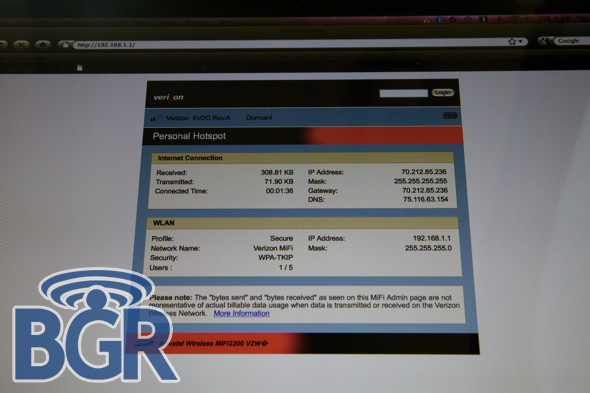
Here’s Verizon’s wireless configuration page and you’ll notice it looks just like their horribly-designed and crafted VZAccess Manager apps. But, Verizon isn’t about sparkle, they’re about substance and their configuration page (and arguably VZAccess Manager software) is extremely simple and quick to navigate and setup. After renaming the wireless network to something a little more clean (Verizon MiFi — original, I know) and setting a new Wi-Fi passkey, I was ready to go.
mifi-review-12

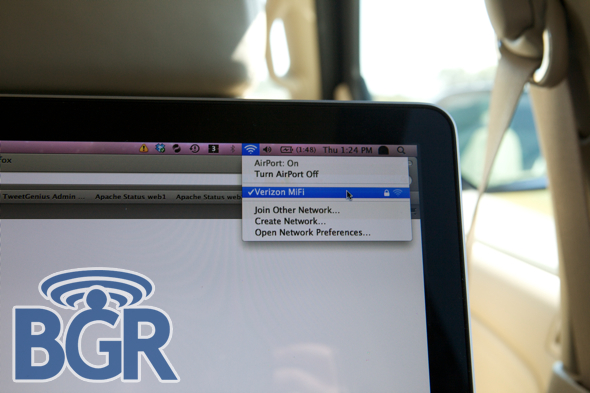
Immediately 5 bars of glorious mobile Wi-Fi appeared on my MacBook Pro. I entered the passkey and was off and running. After knocking through some work over IM, in the web browser, and in Outlook, I decided I’d start to speed test the Verizon MiFi. The highest speed I saw was around 950kbps and the lowest was around 780kbps (in Rev. A coverage areas). I think I completed one speed test over 1X and that was about 120kbps.

mifi-review-3

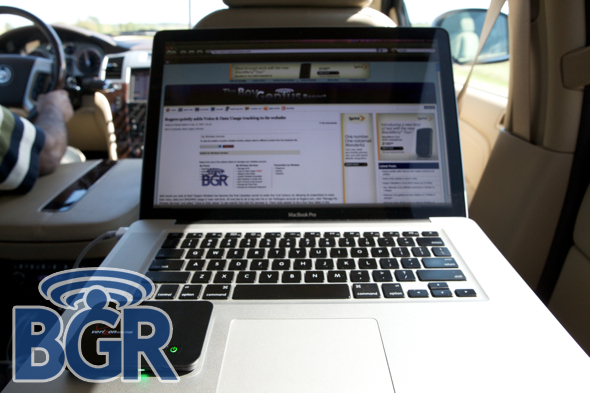
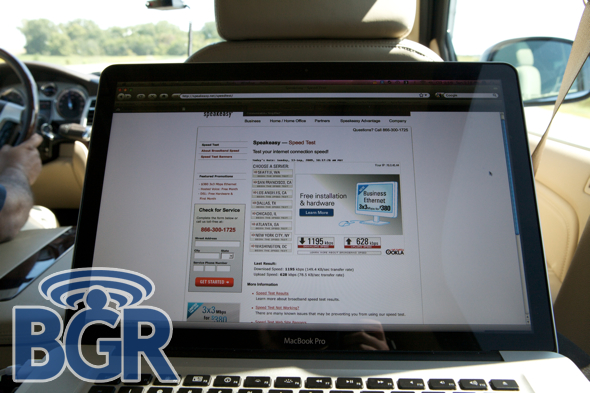
You can see a shot of one speed test I did that yielded 802kbps down and 557kbps up. Not bad at all if you need to have data access while on the move and definitely in line with Verizon’s other data products like USB sticks or ExpressCards.
mifi-review-10

Both MiFi units support high level security including WPA2-PSK and WEP Wi-Fi networks.
mifi-review-5

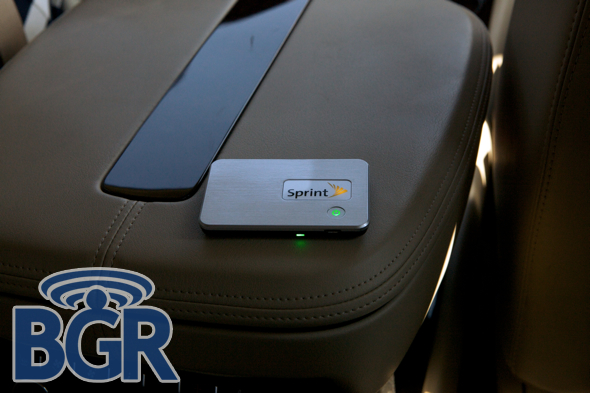
As far as Sprint’s unit goes, the finish is quite different on the top part of the casing. There’s a brushed aluminum texture which is glossed over with a clear coat that really doesn’t show scratches. Major bonus. Besides just looking lighter and being less scratch-prone, the Sprint MiFi externally is basically the same exact hardware as the Verizon device. Sprint doesn’t have a sticker on the underside of the unit with a default passkey for the Wi-Fi network, but since this review unit came with an open Wi-Fi network it wasn’t an issue I had to deal with. Bets are that it would be on the box or in some sort of included paperwork…
mifi-review-7

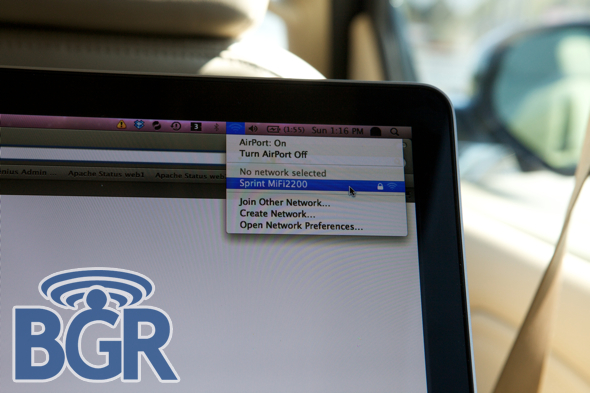
After selecting and configuring the Wi-Fi network to my liking (again, Sprint MiFi2200 — totally brilliant, right?) I was a happy camper on I-80 East. For some reason, and this might not actually be the case with every unit, I noticed the range of Wi-Fi signal to be a little worse on the Sprint MiFi than on the Verizon MiFi. I had read about this somewhere and it mentioned that since the Sprint unit was part metal compared to all plastic the Wi-Fi range suffered a bit. That’s obviously not true as the Sprint unit is not any part metal, so I’m not sure what exactly the reason for that was or if maybe the unit I was testing was a little broken in. Just think about how many Wi-Fi clients had been using that MiFi before me. Yikes.

mifi-review-8

While both units are pretty much identical when you get down to the nitty gritty, Sprint’s MiFi offers the ability to use the built-in GPS. This is really cool if you don’t have a GPS-enabled mobile phone and could possibly be a life-saver in some situations. You have the option of searching directly from the router configuration page using your GPS location, and displaying the coordinates of where you are, among other things. Very nice and very cool. As far as the look and feel of the configuration page goes, Sprint’s was really clean and had a bit more polish, shall we say, over the Verizon page. There was also an option in the power preferences to have the MiFi enter standby mode when plugged into a charger which the Verizon page didn’t have.
mifi-review-9

Not too surprisingly, speeds were a bit better on Sprint’s unit. We’d say an average of around a 150kbps difference even though there’s about a 300kbps difference from the speed tests we took photos of. The trade off is that Sprint’s coverage was not as good as Verizon’s and many times the Verizon unit would be in a Rev. A coverage area when the Sprint unit would only be chugging on 1X. Battery life was the same on both units at around 4 and a half hours of straight usage which actually ended up lasting throughout maybe half the day when going about the city on and off.
mifi-review-4

Both MiFi devices can support up to 5 wireless clients each simultaneously which is an incredible feat for a device so small and compact. You can also connect your MiFi via a microUSB cable to your computer and tether it while also charging the unit. The downside here, though, is that once the unit is connected to a computer over USB, routing data over Wi-Fi is not possible. Obviously if the unit is plugged into a microUSB wall charger you’re free to charge and surf without a hitch. Both units got mildly warm with strenuous usage, nothing alarming or even concerning. While I’m not daring enough to keep a MiFi in my pocket, when left in my backpack it turned out to be an awesome traveling companion, gladly picking up the slack from AT&T’s horrendous Chicago coverage.
mifi-review-11

As you can see from the review, both units are pretty much identical at the end of the day. Little minor exterior differences and even smaller hardware differences (I actually believe they are identical, just Verizon doesn’t enable the GPS function that Sprint does), it’s pretty tough to immediately call one a winner. I wish I could be more clear and really recommend one over the other — Sprint’s was a little bit faster in places, Verizon’s had better coverage and was a tad more reliable — but it’s really personal preference. I’ve been a Bell Atlantic customer and now a Verizon customer for a very long time and like their coverage. After I ship back the Verizon unit, I’ll be purchasing a Verizon MiFi for my personal use, but that’s not to say I wouldn’t be happy with a Sprint one.

Both devices retail for $99 with a 2-year agreement with qualifying monthly data plan.

Tags: , , , , , , , , , , ,

72 Responses to “Sprint MiFi / Verizon MiFi: road tested”

  1. 51
    markymark says:

    Does anyone know if these units can be configured for DDNS / DynDNS / DynamicDNS?

    Thumb up Thumb down 0

  2. 52
    VZW says:

    Celz
    Verizon doesn’t auctually do that. We have tons of users in Alaska who have had Verizon for 5+ years and still are on Verizon. If you look in our Terms of use and all, you won’t find anything that we will do this. We ever have EVDO Roaming in Alaska. We don’t have a limit when it comes to Roaming.

    Thumb up Thumb down 0

  3. 53
    Ricky says:

    Can these be used to replace our routers at home, I have AT&T DSL. D:
    Or are there data caps, like a crazy 1GB limit?
    I like the look of Sprint’s also.

    Liked. Thumb up Thumb down +5

  4. 54
    DW says:

    “The trade off is that Sprint’s coverage was not as good as Verizon’s and many times the Verizon unit would be in a Rev. A coverage area when the Sprint unit would only be chugging on 1X.”

    Thats because the majority of your trip was in iPCS territory (If you traveled I80 in PA, I believe that would have been 100% iPCS). I wish they would spend a little money adding REV A in PA instead of suing Sprint again. In PA the total of their REV A coverage is a tiny little blip around Scranton.

    Thumb up Thumb down +1

  5. 55
    jc says:

    say, not quite, southwest pa down here around pittsburgh and moving on up almost to i80 is completely covered in EVDO-A. Its been native sprint coverage since sprint started in 94

    Thumb up Thumb down 0

  6. 56
    Luna says:

    iPCS provides no service anywhere in PA. MiFi supporting five Wifi users is being throttled by the software and not the size of the device. MiFi’s can easily support many more users but that would cannablize CDMA / Mifi devices.

    Thumb up Thumb down 0

  7. 57
    schlomo says:

    nice review. dont know why bg took a shot at att. probably doesnt like windows either.

    I would expect someone to travel a lot that uses one of these devices. so it should be able to roam quite a bit.

    Thumb up Thumb down 0

  8. 58
    AX says:

    Hands down SPRINT has a better data network. And now that they are working on their 4G network, they will have the foot ahead of any provider.

    Thumb up Thumb down 0

  9. 59
    lol says:

    The first to 4g with wimax is like the first person to have a car, granted that first car is a pinto. I think it generally accepted LTE is worth the wait.

    Thumb up Thumb down 0

  10. 60
    jb - louisville says:

    Just puchased the Verizon version….WOW!!!!!!!!!!!!!!!!!!!!!!!!!

    Thumb up Thumb down +1

  11. 61
    jon says:

    When does AT

    Thumb up Thumb down 0

  12. 62
    Riz says:

    Or, you could get a Pre (eventually on either network), shell out tiny one-time fee for MyTether. Then you can tether your laptop through it over wifi, while using it for nav, listening to music, and keeping the device charged over USB. Just don’t store it in your armrest, it’ll get real warm doing all that at once.

    That said, the 5 wireless connections at once would be great on group road trips. Were they in a Caddy? I can’t quite make out the emblem on the steering wheel…

    Thumb up Thumb down 0

  13. 63
    jc says:

    oh yes that is a beautiful brand new 2009 escalade!!! its hot! also yeah thats what i’m doing, getting a pre and tethering it, beats the extra data cost!

    Thumb up Thumb down +1

  14. 64
    DW says:

    “iPCS provides no service anywhere in PA.” What? luna you may wish to take a look at the iPCS site…http://www.ipcswirelessinc.com/about/map.php

    Thumb up Thumb down 0

  15. 65
    rob says:

    “DW”
    I wish they would spend a little money adding REV A in PA instead of suing Sprint again.

    Do some reserch ipcs has invested $38 mill. into the 3g network this year alone, get the facts first!

    Thumb up Thumb down 0

  16. 66
    DW says:

    “Do some reserch ipcs has invested $38 mill. into the 3g network this year alone”

    I don’t dispute that fact, however little (or maybe none) of that investment has been in PA. I live in PA and travel quite a bit for my job through iPCS, Shentel, and Sprint Corporate territories. Throughout the past year I have seen considerable updates in Shentel’s area, little or no change in Sprint corporate areas (I have no complaint about corporate area’s) and little or no change in iPCS area’s. The biggest complaint in iPCS area’s is the lack of REV A coverage. Again I have noticed no additional REV A coverage in iPCS areas IN PA in 2009. The only REV A (in iPCS area’s in PA) coverage is around Scranton, same as it was in 2008.

    Take a look at the Sprint coverage map:

    http://coverage.sprint.com/IMPACT.jsp?language=EN

    put Scranton for the city and PA for the state. Select “Data, e-mail and Multimedia”, zoom the map out so you can see the whole state of PA. Now take a look at this page

    http://www.ipcswirelessinc.com/about/map.php

    (The colored area’s our iPCS coverage area’s.) compare the “Sprint mobile broadband network” with the iPCS service area in PA. Take a look at the rest of PA (serviced by Shentel and Sprint Corporate)

    According to this document

    http://phx.corporate-ir.net/External.File?item=UGFyZW50SUQ9MzQwNjQzfENoaWxkSUQ9MzI2MzE2fFR5cGU9MQ==&t=1

    iPCS only has REV A coverage for 58% of covered pops.

    So again….I wish they would spend some money adding REV A in PA instead of suing Sprint.

    Thumb up Thumb down 0

  17. 67
    rob says:

    IPCS and sprin dont develope their markets when they are within so many miles from each other ipcs has not done anything with pa because they have focused primarily on their core markets so that they are giving their cor customers a better network, sprint has done the same thing with their market, look chicago ipcs borders all that ares and when you drive thru there sprint falls off and their stores are nonexistant because of that fact! So in all i guess you can wish all you want but untill they unify as 1 you wont see that at all!

    Thumb up Thumb down 0

  18. 68
    DW says:

    “they have focused primarily on their core markets so that they are giving their cor customers a better network”

    Yet this document

    http://phx.corporate-ir.net/External.File?item=UGFyZW50SUQ9MzQwNjQzfENoaWxkSUQ9MzI2MzE2fFR5cGU9MQ==&t=1

    lists Scranton/Wilkes Barre as the forth largest iPCS market! (Page 6)

    “So in all i guess you can wish all you want but untill they unify as 1 you wont see that at all!”

    Unfortunately I believe that will be the case.

    Thumb up Thumb down 0

  19. 69
    TomB says:

    One major difference between the two is that while both offer 5GB, $60/mo plans, Verizon also offers a 250MB, $40/mo plan. Since I suspect that I’ll use less than 250MB on average, that’s the deciding factor for me. (I’m just replacing the lightly-used data part of my AT&T iPhone contract that I was finally smart enough to buy my way out of–F*CK AT&T, with their horrible 3G reliability!)

    Also, note that buying either the Sprint or Verizon version from Amazon gives you the MiFi for 1¢ on contract, rather than $99.

    Thumb up Thumb down 0

  20. 70
    Luke. says:

    we have one of these(verizon) for our home computer.. we’re out in the boonies and can’t get high speed…. but would i be able to play xbox live off of it??

    Thumb up Thumb down +1

  21. 71
    Ansley says:

    I have very strong interest in the MIFI and you fellas have been very informative despite your occasional argumentative distraction. Currently I subscribe to roadrunner. My unfortunate situation is that my fiance and I are not home the majority of the time because of work. We both have laptops, she has a pc and I have a Macbook pro. When I read about the MIFI I got excited like a punk on a sailor ship. I got this masterful idea to get rid of my roadrunner at home and substitute it with MIFI because of the portability. It turns out that if you download music,or up load pictures regularly MIFI is not the option to consider. 5GB seems like allot and the industry seems to want to convince you as much but in the scheme of things if you are a heavy user whether for business or pleasure its not much, what do you fellas think?

    Thumb up Thumb down 0

    • NC Boonies Boy says:

      I’ve replaced my Satellite internet connection with a Verizon Wireless Mifi and have been absolutely thrilled! Between my wife and we barely break 1 gig a month but I wouldn’t reccomend trying to play x-box through. The upload speeds are nice for what it is, but it’s not a direct cable connections (or LTE)…can you say LAG?

      Thumb up Thumb down 0

Leave a Reply