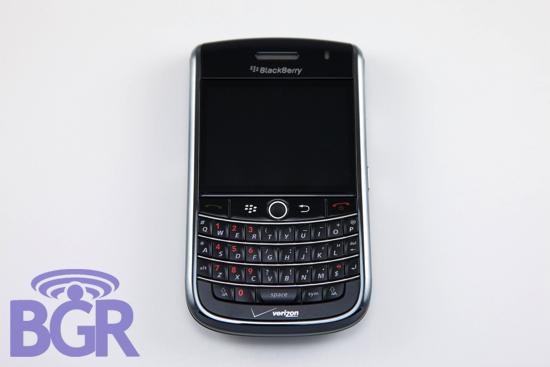
My, my, what a long road we’ve traveled. We’re back at it just like we promised. We combed through the BlackBerry Tour we had a while ago, but now that we have a Verizon unit in hand it’s a whole new ball game. We’re writing this review without looking at or referring to the previous Part 1 we did, so if some of it is a little similar in some places, it’s just because those parts of the device have not changed. Read on to get a glimpse of what we thought about the BlackBerry Tour for Verizon!
Screen:
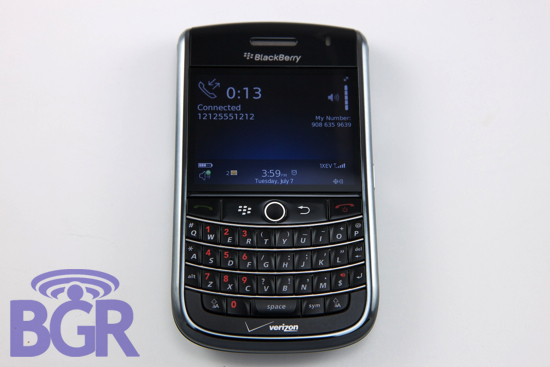
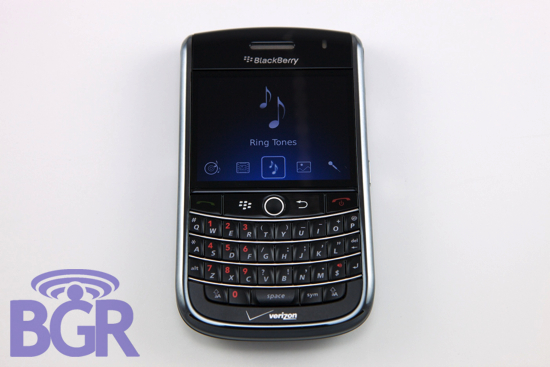
The 480×360 screen is nothing new to BlackBerry lovers. The BlackBerry Curve 8900 features this display and while larger, the BlackBerry Storm does as well. The Bold seems like an outcast as it’s the only BlackBerry to utilize a 480×320 resolution LCD. Personal preference aside (I like the resolution of 480×320 better), the BlackBerry Tour’s screen is nothing short of stunning. It’s not a huge panel but it packs a punch. Colors are rich, there’s a great amount of contrast yet not too much, and text and graphics look as sharp as ever. Additionally it looks like there’s a harder plastic covering the LCD than there is on the Bold and 8900 and this is a good thing, people. It feels solid, not scratch-prone and is a display that we’re proud RIM has transitioned to as their standard screen for the Tour and other BlackBerry handsets to come. There’s that pesky black bezel around the LCD but it’s a minor annoyance and not a big deal.
Voice Calling:
Hello, Verizon. Yes, I can hear you. If those two sentences don’t tell you where this section is heading, you should probably stop reading. We realize the BlackBerry Tour is also launching on Sprint but since they didn’t send us a review unit, they won’t get included and we have nothing to compare the Verizon service or unit to. Back to voice calling… It’s an awesome experience with Verizon on the Tour. Especially compared to the other unit we reviewed, this is really solid. Calls came through loud and clear, callers could hear us perfectly on the other end (as opposed to sounding “tinny” like before) and even in low service areas we didn’t drop a single call. What’s equally impressive is how fast Verizon connects the call — almost instantly.
Since all phones are phones at heart, it’s nice to have a BlackBerry on Verizon’s network. BlackBerry devices in general (especially the latest family) usually offer great voice calling but coupled with Verizon’s network, we’re not sure it gets any better.
Speaker / Speakerphone:
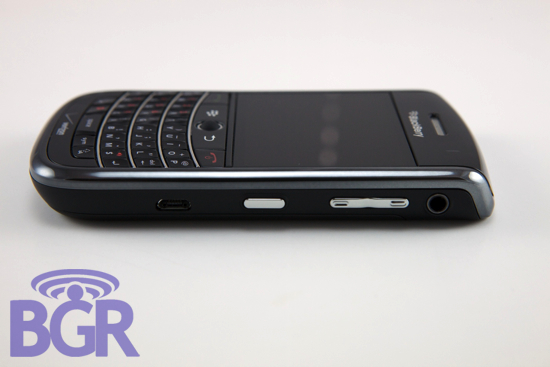
The speaker and speakerphone function on the Tour are great. You can really tell this was designed as a business device. There’s only one speaker on the left side since the 3.5mm headset jack is on the right (the middle “speaker” doesn’t count since it’s not really a speaker — just somewhere for audio to flow out of) but we haven’t noticed this to be an issue. Besides a Nextel device or the HTC Touch Pro2, it’s one of the loudest and most useful speakerphones we’ve used.
One thing that’s a little strange is that while the speakerphone is quite loud, ringtones and audio in general plays back at a lower volume than the Bold does. It’s not that low — it’s louder than the 8900’s speaker — but lower than the Bold’s as far as audio reproduction goes. The high-end is a little lacking but hey, everything is relative and it’s a mobile phone.
Something that many BlackBerry fans will be pleased as punch to know, is that the vibrate feature on the Tour is aggressively strong. Probably the strongest vibrate on any recent BlackBerry, you can’t really miss it.
OS:
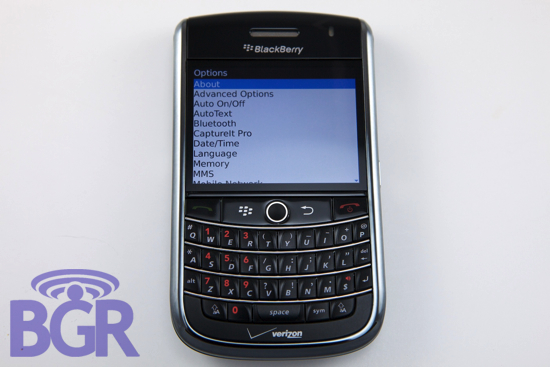
The BlackBerry Tour for Verizon ships with OS 4.7.1 and can be thought of as a non-touch Storm OS. It’s practically identical, just made for trackball navigation and QWERTY keyboard entry as opposed to touch (though some could argue that the Storm OS itself isn’t even designed for fingers… never mind) and for better or worse is practically the same operating system that you’re used to. It’s quick, responsive, and besides a couple random bugs here and there (nothing that got in the way of usability) it’s really solid. We’ve been pounding on two different BlackBerry Tours now and haven’t had a single reset, crash, or any other issue that would affect you in a major way.
Hardware:
In the interest of being upfront with everyone, we had some hardware issues with the first BlackBerry Tour we received. Verizon and RIM swiftly swapped it out for us and the one we’re using now is 100% good to go. Even the other Tour we reviewed from months ago didn’t exhibit the hardware problems we noticed and it’s pretty safe to say that you shouldn’t experience any major hardware problems.
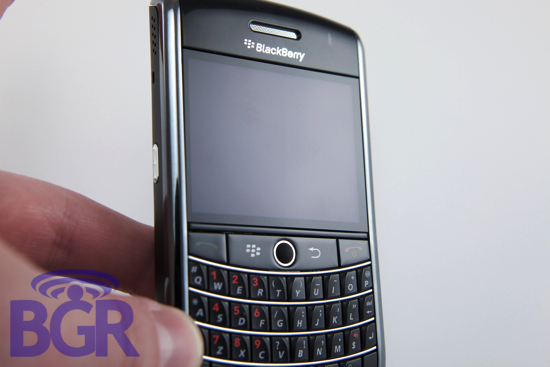
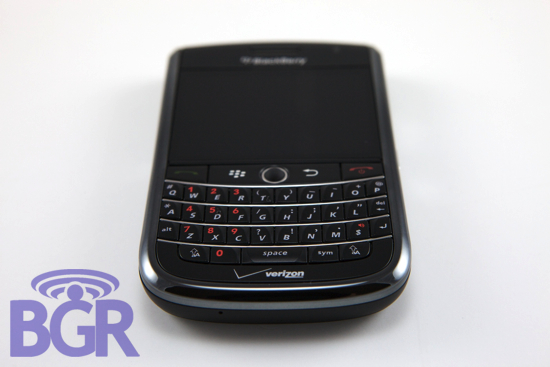
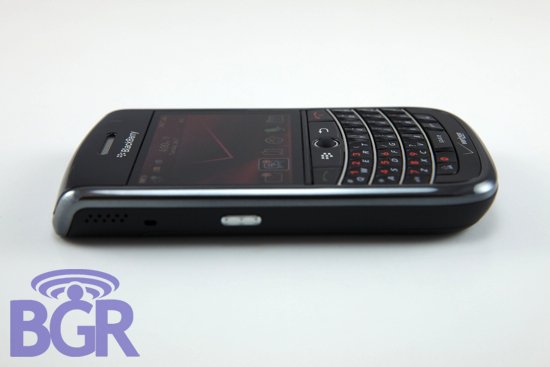
Moving on to the actual hardware of the device, it’s great. Looking at it from a larger viewpoint, the device is incredibly well built. It doesn’t creak, it doesn’t waddle if you try to type on it when it’s on a desk or solid surface, there are no loose parts, and it seems again that RIM has improved their manufacturing and assembling processes. Getting granular, things are also perfect. The volume buttons and camera shutter button for instance aren’t mushy, they’re firm but not hard to press. The four main navigational buttons (Send, Menu, Back, End) also are perfectly sized and offer great feedback when navigating. The trackball might be too recessed for some but after a while of use, it’s not that big of a deal and you get used to using it.
We’ve been messing with a Tour on and off for the last three or four months and we have to say again, it really excels as a business device and we think it will stand up to various punches, nicks, drops, kicks, and the like without issue.
Keyboard:
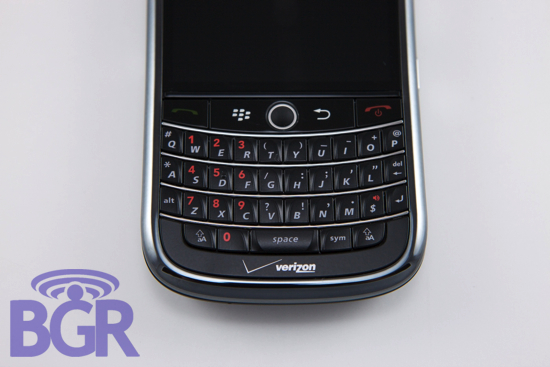
Another QWERTY review? You bet. A true mashup of the BlackBerry Bold and BlackBerry Curve 8900 keys, the BlackBerry Tour offers a great compromise. The keys aren’t as mushy as the Bold keys, they’re a little harder and a little “clackier”, something found on the 8900. As far as size goes, they’re roughly 20% larger than the 8900’s keys and are nicely sculpted. We’ve found the best and most efficient way to type on the Tour is not to press on an entire key but on the angled area of a key. This let’s you pound through emails with relative ease and doesn’t really let your finger hit more than one key a time. The BlackBerry Tour keyboard is a keyboard you’d come to expect from RIM — simple, easy to use, and perfectly laid out. It’s a winner.
Design:
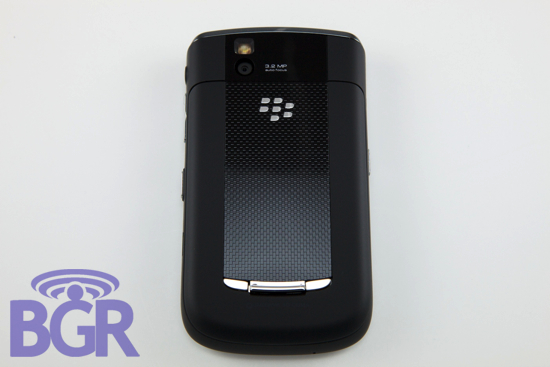
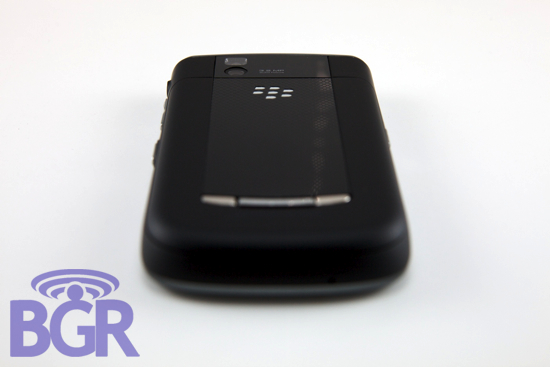
While highly subjective, we find the BlackBerry Tour to be striking. It’s such a true BlackBerry if you think about it. Unlike the BlackBerry 8900 and BlackBerry Storm, the Tour is boxier but we think better. It’s a little thicker, but it’s comfortable to hold and use, and seems perfectly proportioned. RIM did an awesome job of letting all the components work together. The dark chrome bezel meshes beautifully with the soft-touch rubberized sides and the glossy black navigational buttons blend with the black screen and upper earpiece section, blending perfectly with the black powder-coated QWERTY keyboard. The camera lens cover flows perfectly into the back battery cover, also with a soft-touch rubberized finish.
Battery Life:
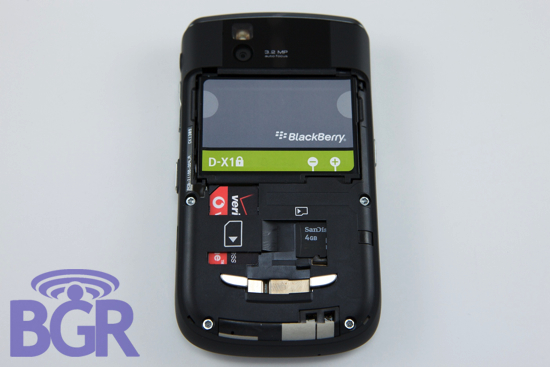
Battery life is really impressive. Coming from a heavy, heavy BlackBerry Bold user, the Tour is straight up refreshing. With the exact same usage patterns and same applications installed, I’ve been able to get double to battery life using the Tour compared to the Bold. I’m not sure why — CDMA devices typically use more battery than their GSM counterparts and the battery on the Tour is 1400mAh compared to 1500mAh on the Bold — but battery life is fantastic.
Email, voice calling, music playing, web browsing, Twittering (cheap plug), BlackBerry Messenger — all a go with great battery life.
Annoyances:
How could we review the BlackBerry Tour without complaining about Wi-Fi? We always say it, but whatever the reason — cost, weight, size — it doesn’t really matter. The BlackBerry Tour is Verizon’s flagship device for the Summer and there’s a glaring hole in it. We realize Verizon has the best voice and data network in the country with the most coverage. We applaud them. But, there are some places where service is bad, the buildings are too thick, the location is too remote. And that’s where you need Wi-Fi.
In general, using the device has been really pleasant. Besides a brief stint with an 8900 it’s the first time I’ve switched from my Bold since last June and I’ve been very happy aside from a couple slowdowns here and there. The 624MHz CPU on the Bold is nice and this is slower I believe by about 100MHz, give or take. Will the average user notice the difference? No. They’ll be too ecstatic coming from the Curve 8330 but it’s worth pointing out nonetheless. And hey, if that’s all we have to moan about, Verizon and RIM are doing something right, right?
Conclusion:
While the BlackBerry Tour lacks Wi-Fi and sports a slightly slower processor compared to the BlackBerry Bold, we can confidently say when it’s released later this month it will be the best BlackBerry on the market. We won’t look ahead, we’ll focus on what is in front of us and if we do that, the Tour is the top dog. It’s on a superb network, it’s extremely professional and durable, and it’s incredibly pocketable and versatile. 2009 BlackBerrys include 256MB of RAM and 3.2 megapixel AF cameras which are probably the only two things people would change about the Bold. Add in a smaller and arguably sexier package and you’ve got a sure shot winner. There’s no question this is the finest CDMA BlackBerry to date and if you’re on a CDMA network (Verizon or Sprint) this is a no-brainer. Besides being a fantastic handset, it’s a world device that will work practically anywhere on the planet, thus eliminating a difficult barrier of entry (people who want Verizon) for globe-trotters. RIM really knows hardware and it shows, and if you’re ok with the BlackBerry OS then we suggest you give the BlackBerry Tour a long and hard look come Sunday the 12th.