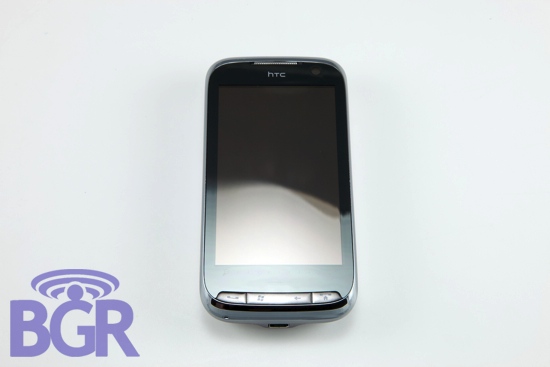
HTC has been seriously the little (now big) engine that could. Does anyone even remember what the T-Mobile Pocket PC (Wallaby) looked like? Now the number one Windows Mobile manufacturer in the world, they show no signs of stopping — they even added Android to their portfolio. But let’s be honest, you’re here to check out the much-awaited update to the viciously popular HTC Touch Pro, the HTC Touch Pro2. So let’s get to steppin’, hit the jump and find out what we really think of the TP2.
Design:
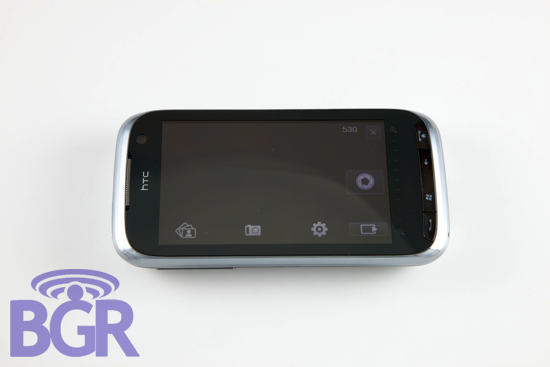
Design is always going to be subjective, right? But you can most of the time appreciate a phone’s industrial design even if it’s not something you’d drop a wad of cash on. The Touch Pro2 is probably one of the sexiest Windows Mobile devices we’ve ever seen. Rounded edges, chrome bezel, huge screen, minimalistic buttons — all great things. What’s even more exciting, however, is that the design is completely functional. There’s not one single thing the designers did that gets in the way of real usability and let’s face it, this device is really the high-end corporate user’s dream device, so there shouldn’t be any complaints in this department.
Hardware / Keyboard:
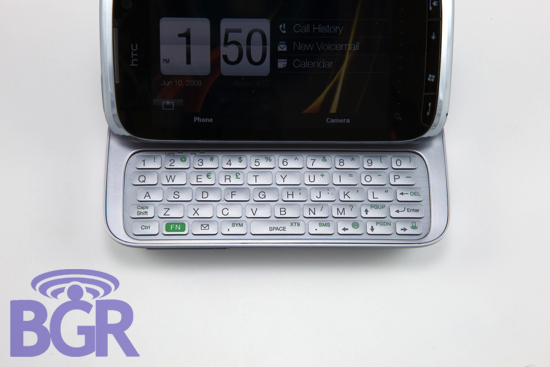
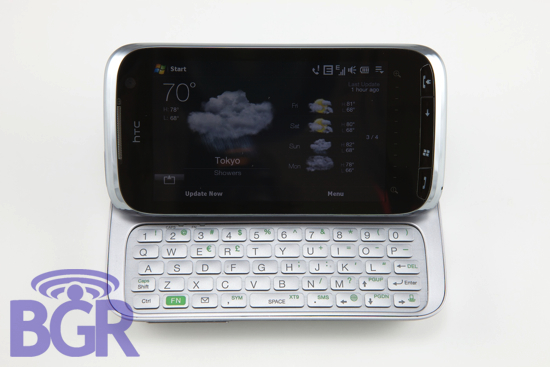
It’s really exciting to watch newer products being released but it’s a little bit more exciting to see evolutions of previous handsets morph into something else. HTC told us that people really missed not having the tilting screen of the HTC TyTN II so they incorporated that back in. Additionally, people thought the HTC Touch Pro was a little too small and cramped, so they practically made the Touch Pro2 a HTC Touch HD with slide-out QWERTY. And oh man, what a slide-out QWERTY it is. Shaquille O’Neal himself (also a very happy TweetGenius user, might we add) would have zero problems typing on this thing. The keys are very, very spacious and have a great feel to them. It’s a plastic feel which is totally fine (even if they are really made out of aluminum), because it’s a quality feel. Something Palm should learn a thing or two from.
On a different note, have we mentioned how absolutely incredible HTC’s new soft keyboard is? Anyone using an HTC Magic or who has installed a non-Google build on their Android device (not a Google version) will know what we’re talking about. It’s almost as good as the iPhone’s keyboard and this is coming from using it on a resistive screen. Really top notch stuff here.
Screen:
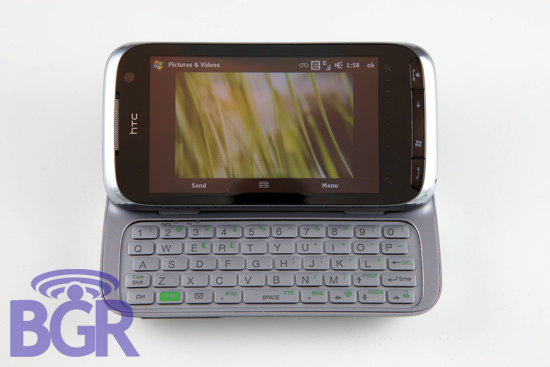
If there was a such thing as the world’s greatest, the Touch Pro2’s screen would surely be in the running. It probably wouldn’t win, though. It’s really something HTC has no control over, but the fact that this is a resistive screen as opposed to a capacitive screen is a major strike against it. Really, they can’t do anything about it since Windows Mobile practically makes you use a fingernail to hit menu options. Once you accept the screen is resistive, though, it’s a damn good one. Unlike the Touch Pro where the screen wasn’t as responsive as everyone wished, the Touch Pro2’s screen is incredibly sensitive and responsive — paging through screens, sliding through TouchFLO menus and the like are all smooth as butter.
The actual resolution of the display is 800×480 and it’s a whopping 3.6″ measured diagonally. In addition to being highly responsive, it’s vivid, bright, clear and crisp.
TouchFLO 3D:
We have touched on TouchFLO 3D in many different sections of this review as you have read and will read below. But, to focus on just TouchFLO 3D, a lot has been added since the Touch Diamond and Touch Pro. For starters, it’s finally landscape! If that wasn’t enough, HTC has gone ahead and built upon the Touch HD’s TF3D by adding in a Stocks page, revamped Weather page and a new Calendar page. All extremely welcome additions.
Phone:
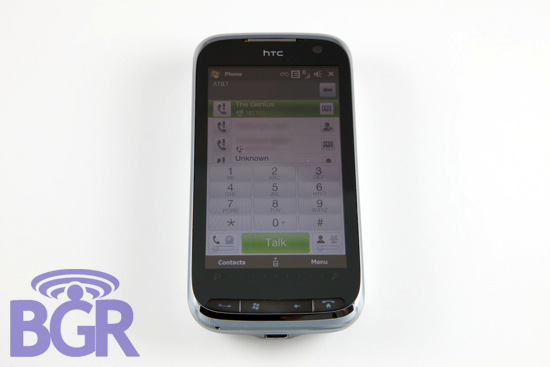
What good is a phone if the phone doesn’t work? While voice calling in very old versions of Windows Mobile was a pain in the ass, Windows Mobile 6/6.1 has made it bearable. Luckily HTC’s TouchFLO interface makes it rather enjoyable. Anyone who has used a recent HTC device knows this pretty well, but on the software side, everything is cleanly laid out. Your recent call log is integrated with the dialpad, and you have the option to flip between a standard voice call and a video call. Don’t get excited; that’s for international users only because it’s a carrier-supported feature.
As far as the hardware goes, calls we made and received came through loud and clear. Literally. The ear speaker on the TP2 is a little bit higher than you’d anticipate but you get used to it very quickly and it proved to work without any issues. Volume on the in ear speaker was sufficient enough to provide audible call quality on the streets of New York City and our callers could hear us quite well, too.
Messaging:
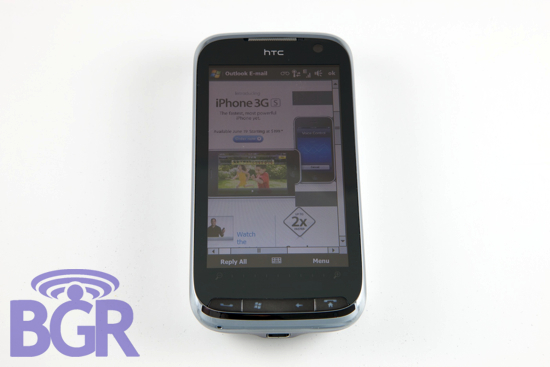
HTC has excelled at making Windows Mobile a more-usable platform. What in the hell would the world look like without it? What’s more interesting with the latest version of TouchFLO is the messaging integration. In addition to having phone calling, you’ve now got access to your entire communication history with all of your contacts. Once you click on a specific contact, you’re able to see all the recent calls, all recent emails, all recent text messages, and even Facebook updates all in a neat and clean interface. It’s rather remarkable.
Integration of these features isn’t just skin deep either — you can even click on a contact’s thumbnail image in an email and start a conference call that way as an example. Really cool stuff that’s incredibly useful.
Speakerphone / Conference calling:
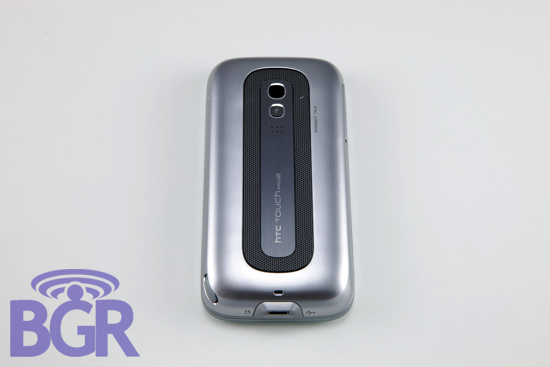
This is one of the big selling points of the new Touch Pro2 — the speakerphone and Straight Talk. The brilliant part of HTC’s heavily-customized TouchFLO interface is what they’ve been able to do with conference calling. You can literally just hit 4, or even 5 numbers or contacts, and instantly, the Touch Pro2 will transform from a phone, to a mobile conference room and conference all parties together. You’ll also get options to individually drop certain parties from the call while it’s in progress. But, look, what good is some bad ass conference calling software without some business-grade speakerphone action? As soon as you flip the handset over so the screen is face down on your desk (or whatever surface really), the call will instantly change over to speakerphone. Ok, cool, we guess. Most speakerphones suck and you can barely hear them. Not here, though. Besides being super loud and clear for you to listen to, the Touch Pro2 has got dual microphones. One for noise-cancelling and one to actually pickup your voice for uh, talking. This makes for an absolutely wonderful conference calling experience — it’s the best we’ve ever used on a mobile phone. Plus, if that wasn’t enough, there’s a dedicated mute button right in the middle of the speaker so you can hurl insults and nasty words at your boss while he’s talking. While muted, of course.
Battery life:
The TouchPro2 ships with a large 1500mAh battery and it’s pretty good. HTC quotes talk time over a UMTS connection at a whopping six and half hours. Unfortunately, since our review unit is a Euro-spec unit, we weren’t able to participate in sexy 3G-calling voice tests. Their quoted EDGE talk times are listed at about eight and half hours, and we can pretty much say those numbers are incredibly close to being accurate.
On EDGE and Wi-Fi, our unit constantly got us through a full day of work. This included heavy email using a Microsoft Exchange Server with ActiveSync configured, a ton of web browsing using Opera and Skyfire, staying logged into IM with BeeJive for Windows Mobile, and some light to medium voice calling. On 3G, however, we’re pretty sure our battery life would have been reduced by at least 35%, let’s say. That’s an estimate, but a pretty conservative one. To make two paragraphs short: the Touch Pro2 has very good battery life but your usage patterns will obviously vary, thus your battery will as well.
Connectivity:
It’s pretty much a standard nowadays for any high-end device; quad-band GSM/EDGE, tri-band UMTS, Wi-Fi, Bluetooth 2.0 or higher and GPS. Unfortunately, the Touch Pro2 we reviewed didn’t have three UMTS bands, just two. These are the 900/2100MHz UMTS/HSPA bands that are incompatible with North America’s 3G bands. Since 3G is such a standard feature in today’s world, we couldn’t enjoy the TP2 as much as we’d have liked to. Don’t fret, though — when you get your own Touch Pro2 you’ll be pleased as punch with all the connectivity options loaded in here.
Minor annoyances:
There’s a few things that aren’t quite perfect here. The camera, while being a decent 3.2 megapixel sensor, didn’t get upgraded like the Touch Diamond2 did. We would have loved for a 5 megapixel shooter in here. Additionally HTC has removed the flash module. Handset makers don’t get it twisted — leave the motherloving flash in your phones.
This isn’t much of an annoyance since the hardware works quite well, but in fairness we figured we should point out that the Touch Pro2 actually runs more of the less the same internal hardware as the original Touch Pro did. It’s not a bad thing like we said, but anyone hoping for a major spec bump, you won’t really find it here.
Lastly, there isn’t a directional pad anymore on the front of the device. This isn’t the worst thing to happen, but it was really nice having that on the front part of the Touch Pro to make navigating a little bit easier. The trade off is that the screen is obviously larger which does help when using touch selections as opposed to hardware keys.
Conclusion:
It’s pretty apparent that there will be an HTC Touch Pro2 in your own carrier’s flavor pretty soon. In the U.S. alone, just from leaked photos and information floating around, T-Mobile, AT&T, Sprint and Verizon will all get their own version of the device. What’s even better is that they will all be roughly the same. The keyboards won’t range from usable to world’s dumbest configuration (cough, Touch Pro, cough) and we have a feeling the physical exterior will be pretty close to the stock HTC units as well.
This is an incredibly interesting summer, though. You’ve got this device, the Nokia N97, the Palm Pre, the iPhone 3G S, the Google G2, and a bunch more handsets to choose from. How will you make up your mind? Form factors are pretty similar with the aforementioned devices. Most have a physical QWERTY slide-out or flip up, and all have on screen keyboards except for the Palm Pre. We can’t say that one OS is better than the other for your taste and usage, but we can confidently recommend the Touch Pro2 as the best Windows Mobile device in the world. That might not make your decision any easier, but as long as you’re considering a Windows Mobile phone, the Touch Pro2 is going to be the reigning champ for a long, long time. Or at least until HTC releases the Touch Pro3.
Regardless of what phone you end up choosing, one thing is 100% certain, folks. It’s going to be a hot summer.